
Need something bigger?
More RAM, more storage or several servers at once. Tell us what you're running and we'll build a custom plan.
Your own Rust server with 6GB RAM for $7.50/mo. Unlimited player slots, DDoS protection, online in minutes.
From$7.50/mo

$7.50/mo
6GBRAM
20GB NVMe
Unlimited slots$7.50/mo
$9.00/mo
7GBRAM
30GB NVMe
Unlimited slots$9.00/mo
$12.00/mo
8GBRAM
40GB NVMe
Unlimited slots$12.00/mo

$15.00/mo
10GBRAM
50GB NVMe
Unlimited slots$15.00/mo
$18.00/mo
12GBRAM
Unlimited NVMe
Unlimited slots$18.00/mo
More RAM, more storage or several servers at once. Tell us what you're running and we'll build a custom plan.
Your server deploys automatically after checkout, and your panel login arrives by email.
Switch frameworks and upload plugins through the file manager.
Automate restarts, announcements and backups on the schedule you choose.
Network-level filtering drops attack traffic before it reaches your server, so raids happen in-game only.
Give admins access to the parts of the panel they need, without sharing your login.
Ask in Discord or open a ticket, and a member of our team replies, 24/7.
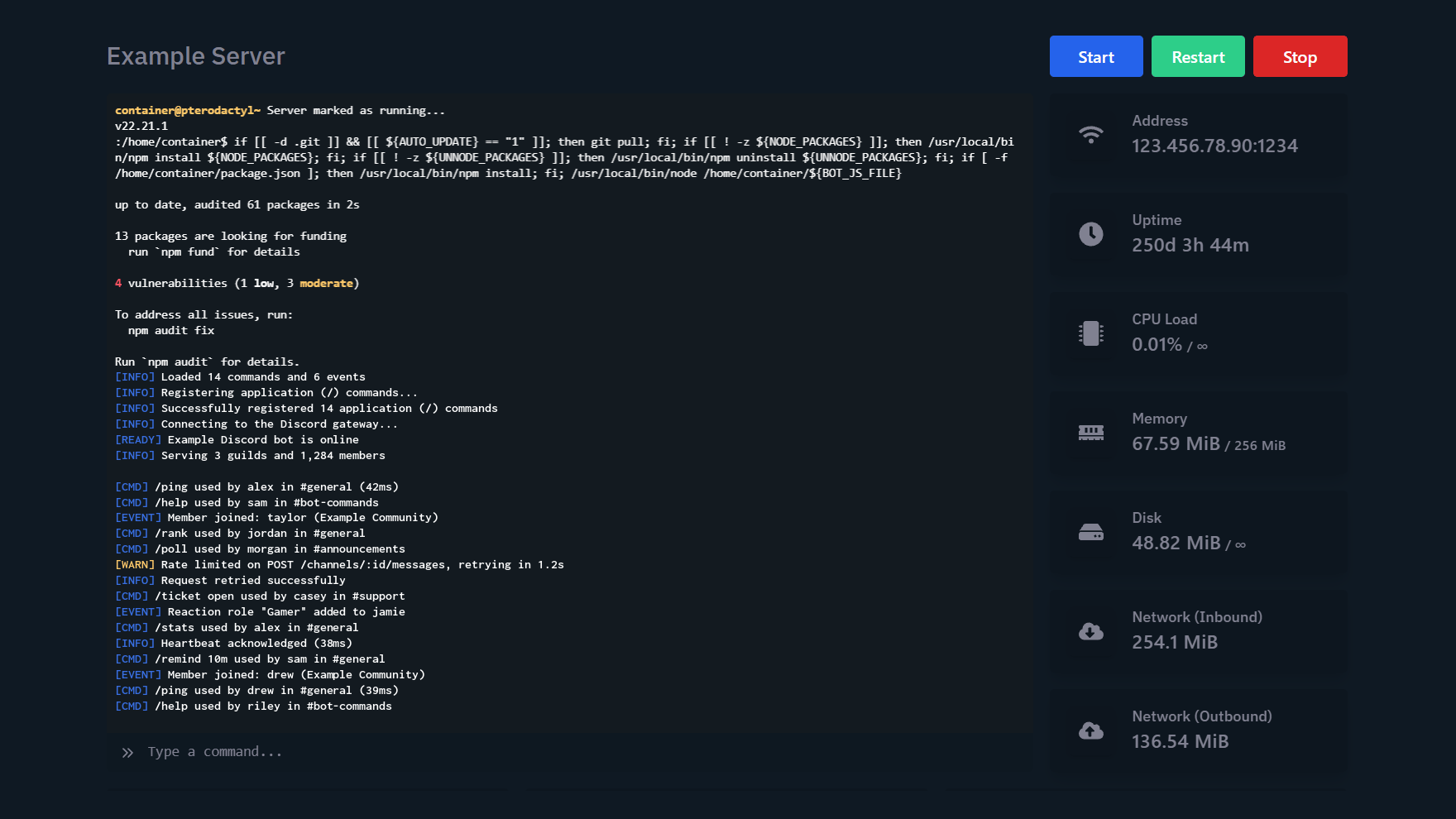
Console. Live output from your Rust server, a command line and start, stop and restart controls.

Running Rust from your own PC means port forwarding, a machine left on around the clock, and a dead server whenever you log off. A hosted server avoids all of that. It runs in a data centre 24/7, so your group can keep farming and building whether you're online or not. Keep it private with a whitelist plugin and set the rules that shape your wipe: team size limit, map size and seed, and custom gather rates through Oxide or Carbon. When your group is ready for new players, open the server up without moving a single file.
Your server deploys automatically after checkout, and your panel login arrives by email.
Start with a whitelist for your group, then remove it when you want new players to join.
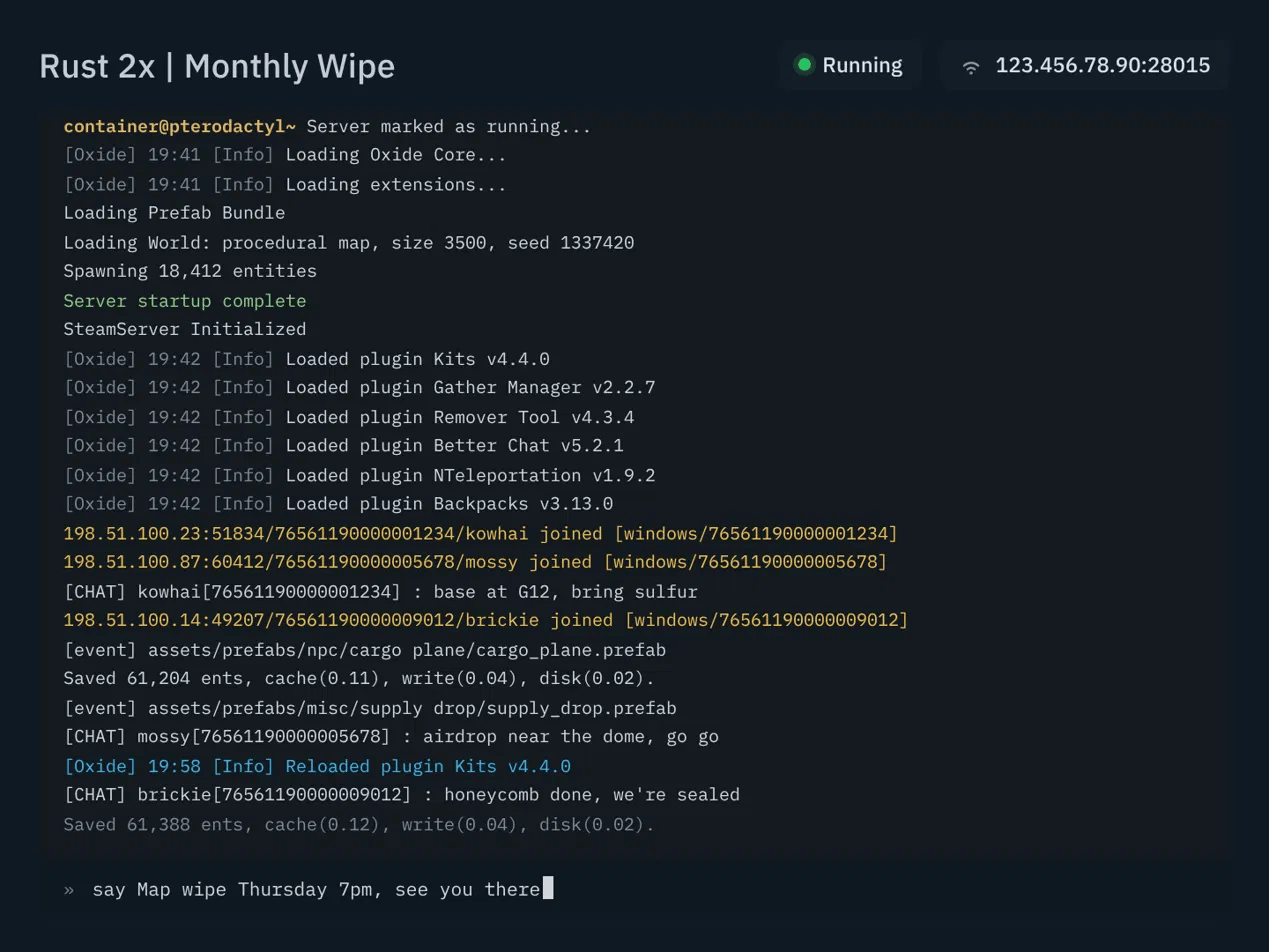
Rust server hosting means renting a server in a data centre that runs the Rust dedicated server software for you. Instead of playing on someone else's community server, you get your own instance with full control of its settings: server name and description, map size and seed, wipe timing, admins and plugins. The server stays online 24/7 whether or not anyone is playing, and you manage it from a web control panel with a live console, file manager, backups and schedules. Every ServersNow plan includes unlimited player slots, so you choose a plan by RAM rather than by headcount.
Every plan includes unlimited player slots. Pick RAM for your map size and plugin count.
Run vanilla Rust, or switch to Oxide or Carbon when you want plugins.
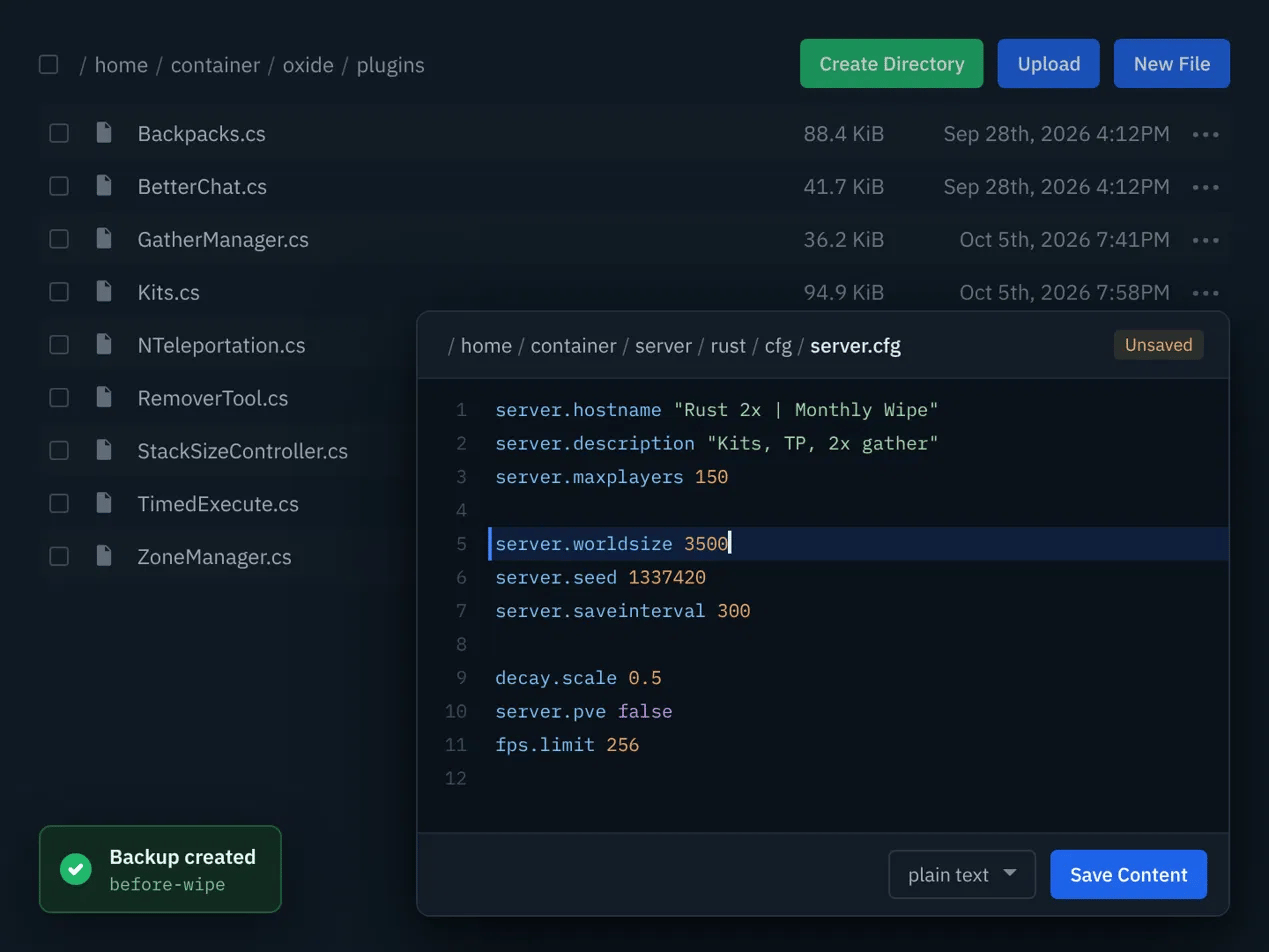
Most modded Rust servers run on Oxide (uMod) or Carbon, two frameworks that load C# plugins for things like kits, teleports, clans and custom loot. On ServersNow you choose the framework in your panel, then upload plugin files to the plugins folder with the built-in file manager. Each plugin writes its settings to a config file, which you can open and edit in the browser without an FTP client. Reload a plugin from the console to apply your changes, or restart on a schedule. Take a backup first and you can roll back if an update misbehaves.
Upload any Oxide or Carbon compatible plugin and configure it to suit your server.
Create a backup from the panel before updating plugins, and restore it if something breaks.
ServersNow has been a great experience for me and my management team. All problems we have had has been fixed almost instantly. I would 100% recommend hosting any game servers from ServersNow and if game server development isn’t your thing they also have web hosting and you can purchase your own domain from them too. I will continue to use ServersNow and you should to.
ServersNow is an excellent affordable hosting solution that has a great and friendly Project Manager that me and my company have used to host our game servers they also offer cheap website hosting with a lovely and easy to use panel. The average time I had to wait for a question to be answered is probably 20-60 minutes max. The team is outstanding at getting back to you in a timely manner.
The Customer service here is very professional, helpful and fast acting. My personal experience was Super quick and easy and one of the first Customer services that actually cared and really wanted to help.
Our team answers, 24/7. The Help Center has setup guides for every game we host.
Yes. Choose Oxide or Carbon for your server in the control panel, then upload plugins to the plugins folder with the built-in file manager.
Open Rust, press F1 to open the console and run client.connect followed by your server's IP and port, for example client.connect 123.456.78.90:28015. You can also find your server in the server list and add it to your favourites.
Pick a plan and complete checkout. Your server deploys automatically, and your panel login arrives by email. From the panel you set the map size and seed, your wipe schedule, plugins and admins.
Yes. Any plan can run as a private server. Add a whitelist plugin through Oxide or Carbon so only the players you approve can join.
Rust servers start at $7.50/mo for 6GB RAM and go up to $18.00/mo for 12GB RAM. Every plan has unlimited player slots.
Facepunch forces a map wipe on every Rust server on the first Thursday of each month, when the monthly update ships. You can also wipe the server whenever you want through our game panel
Yes. Create a backup from the control panel at any time and restore it if something goes wrong. You can also schedule backups, for example every day at 03:00.
Yes. You can move to a larger plan from the client area at any time, and your files stay in place. The price difference is applied to your next invoice.
Rust servers are available in Dallas, London and Sydney. Pick the location closest to your players at checkout.