
Step 1
Upload your files
Drag your bot's folder into the file manager in your browser. No command line, no file transfer software.
Upload your bot, press start, and it keeps running, even when your computer is off.
Everything happens in your browser. No command line, nothing to install.
Step 1
Drag your bot's folder into the file manager in your browser. No command line, no file transfer software.
Step 2
Open your config file right there in the browser, paste the token and save.
Step 3
Pick your bot's language and the file that starts it, for example index.js or bot.py.
Step 4
The console shows your bot coming online. It keeps running after you close the tab.
A bot for your own server or a few friends.
128MBRAM
$0.50/mo
Cancel anytime
A bot with more commands or music.
256MBRAM
$1.00/mo
Cancel anytime
A bot that does a lot, or several small ones.
512MBRAM
$2.00/mo
Cancel anytime
No ticket, no waiting, nothing to move.
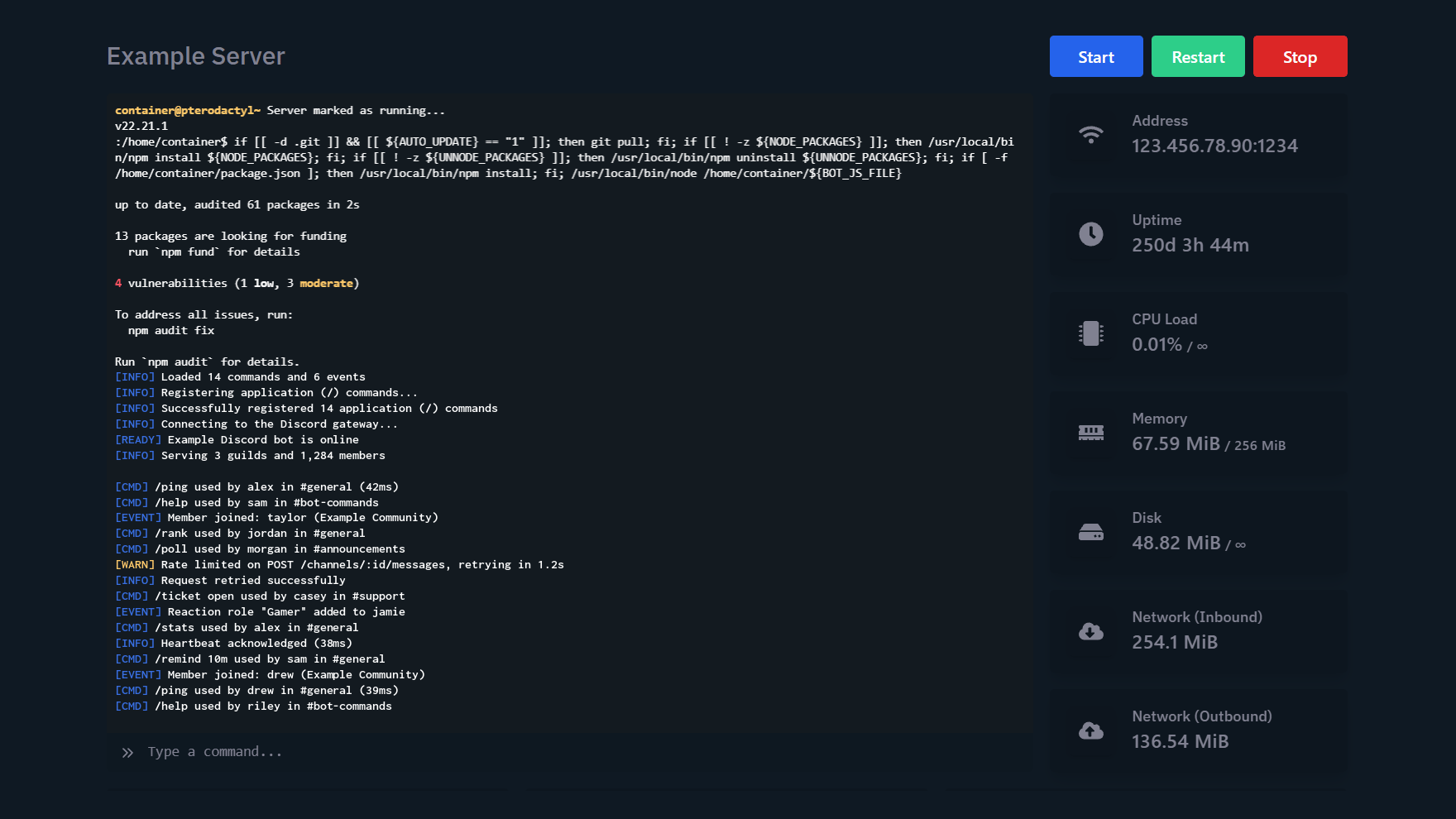
Console. Watch your bot start, and read the error if it doesn't.
If your bot was written in one of these, it'll run here.
![[object Object] icon](/_next/image?url=https%3A%2F%2Fcdn.serversnow.co%2Fassets%2Ficons%2Fnodejs.webp&w=96&q=75) Node.jsdiscord.js
Node.jsdiscord.js![[object Object] icon](/_next/image?url=https%3A%2F%2Fcdn.serversnow.co%2Fassets%2Ficons%2Fpython.webp&w=96&q=75) Pythondiscord.py
Pythondiscord.pyFor a bot, the location barely matters. Pick whichever is nearest you.

Our team answers, 24/7. The Help Center has setup guides for every game we host.
Follow the four steps in How it works: upload the folder in the file manager, paste your token into your config or env file, set the start command, and press Start. The console shows your bot coming online.
Most small bots fit comfortably in the smallest plan. How much memory a bot uses depends on how it's written, how many servers it's in, and how frequently people interact with it. Once it's running, the panel shows what it actually uses.
Move up to a bigger plan yourself in the client area. You only pay the difference for the rest of the month, and your files stay where they are.
No. You bring the code and we run it. We help with the hosting side, like uploading files or reading an error in the console, but we don't write, fix or debug bot code.
In your bot's config file, often config.json or .env. Open it in the file manager, paste the token and save. Keep it private: anyone with your token can control your bot.
Yes. If your bot crashes, it's started again automatically.
Yes. Add them as a subuser and choose what they can do, like using the console or editing files. They log in with their own account, so you never share your password.
Check the console. It shows the error your bot hit while starting. Common causes are a missing token or a typo in the start file name. If you're stuck, open a ticket or ask our team in live chat and we'll help you read the error.
We accept cards via Stripe, and PayPal.